Specifications
Specifications
user experience
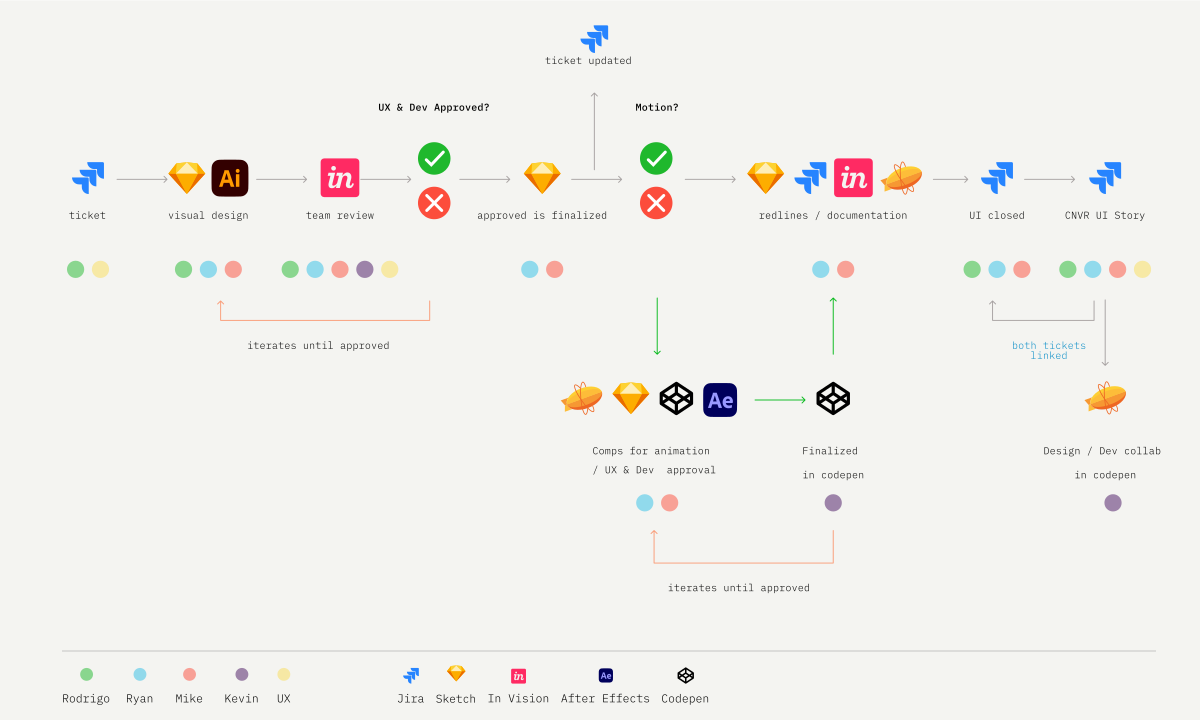
I joined the UX team as Lead Designer for CUI, helping define the system’s design direction in close collaboration with UX Lead Molly Deutmeyer. My approach elevated the team from feature-driven thinking to a holistic, principle-led UX grounded in lightness, clarity, and elegance.
I also managed a small team of UI and motion designers, providing design direction, task oversight, and mentorship, while advocating for craft excellence and fostering a culture of trust, open communication, and transparency.
Epsilon/Conversant is a leader in digital marketing and advertising, combining data science, machine learning, and brand intelligence with dynamic creative and personalization to connect brands with people across industries such as retail, finance, travel, and restaurants.
The ecosystem includes a client-facing campaign management platform, a publisher integration platform, and a suite of creative technology tools designed to automate, scale, and optimize the creative development process.
UX is housed under Creative to ensure full autonomy when contributing to projects and across various teams. The UX discipline is leveled out with the same seat at the table as any of our other teams.
The solution and results
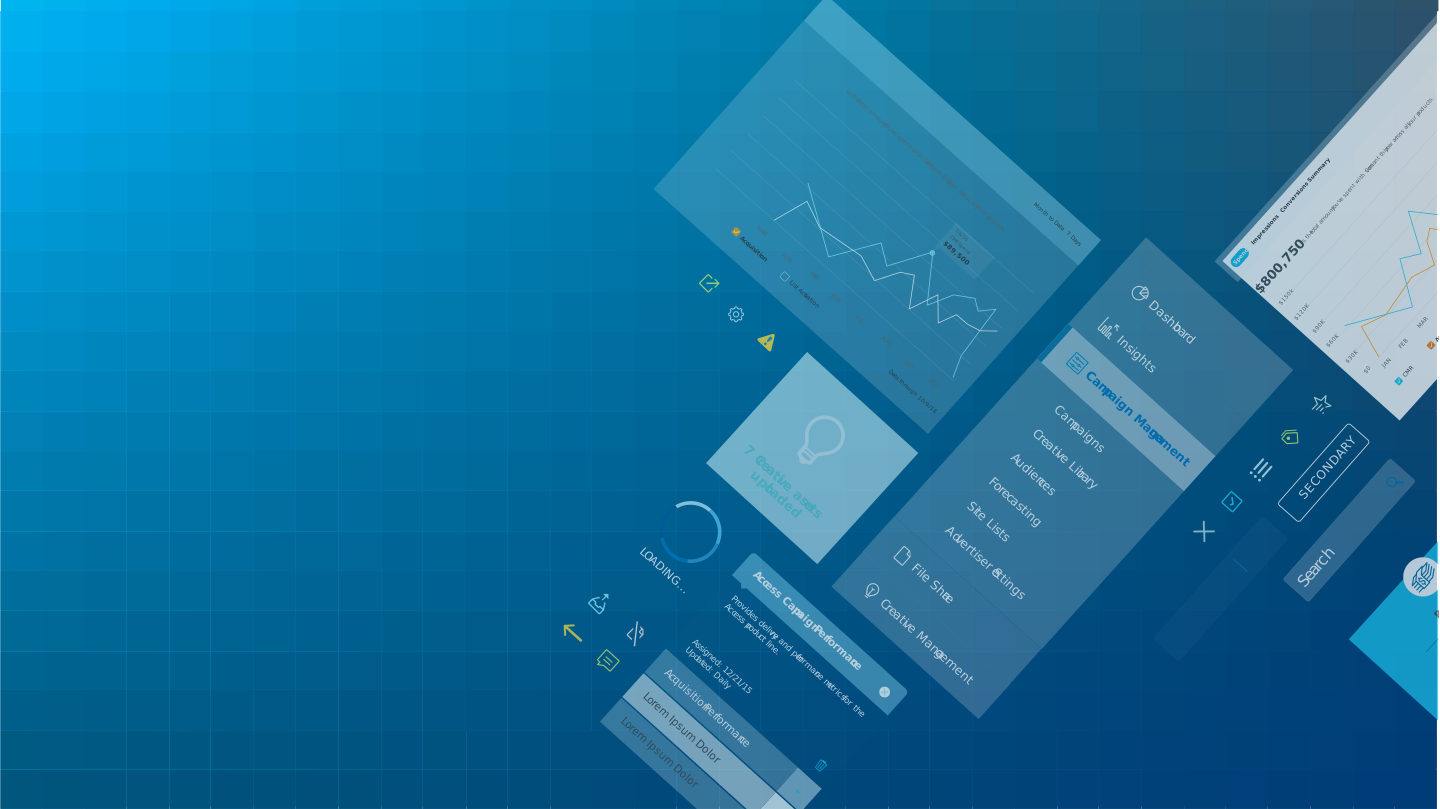
The design system delivers two themes, 100+ components, and global add-ons with clear guidelines for enterprise teams across Epsilon Tech, Data, Auto, Agency, and Conversant. It supports client, publisher, and developer tools, while a unified design language—spanning color, typography, grid, and motion—ensures data consistency and enables a light, intuitive system tailored to user personas.
The initiative delivered a 50% reduction in product development costs across an average project by standardizing audits, component design, technical specifications, cross-functional collaboration, and testing. It also drove a 200% increase in weekly client logins, demonstrating that a superior user experience significantly boosts product adoption.
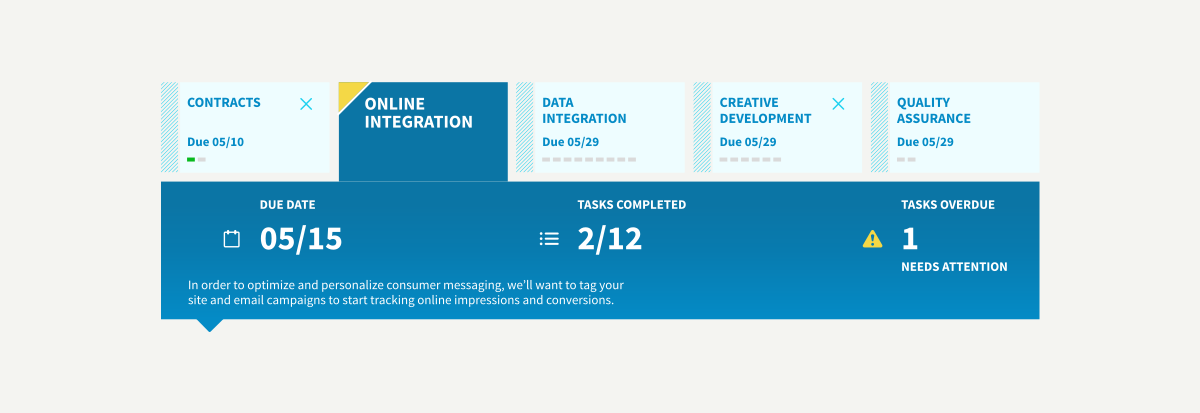
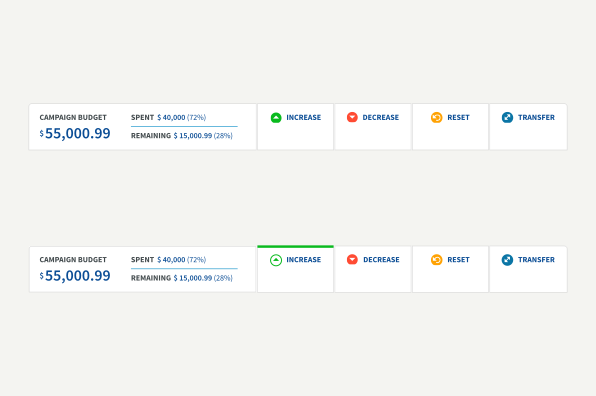
Designed for fully responsive screens such as platform tools and dashboards for programmatic campaign management. The files are updated regularly to provide clarity and consistency with the design team. These tools are essential for building conceptual layouts that ensure fluid design-to-development workflows
Designed for experiences with less space such as developer tools, software extensions and plugins. Key steps of the creation process for both systems are: Technical audit, application component evaluation, component design, technical design specs, development/engineering collaboration, usability testing, compatibility testing.
Primary System
Mini System
Kepler is an Adobe After Effects–embedded application that connects design, production, and development, integrating with the Conversant ad server to streamline creative workflows from preview to production.
Grasshopper is an Adobe Illustrator extension that lets art directors design without compromising brand integrity. It standardizes files for seamless handoff to digital production and removes the need for creative technologists in campaign generation.
Inigo is a standalone desktop application that lets digital producers catalog, position, resize, and crop images quickly using simple commands, integrating with local and production servers via APIs to automate deployment of complex image sets.
Color
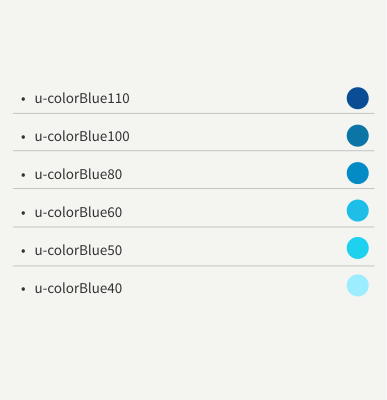
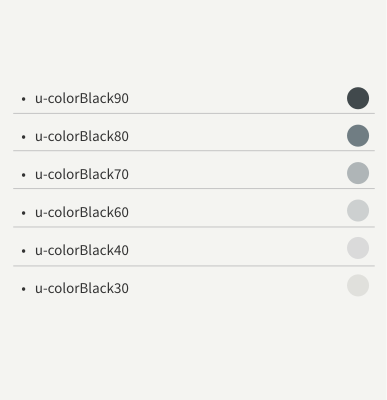
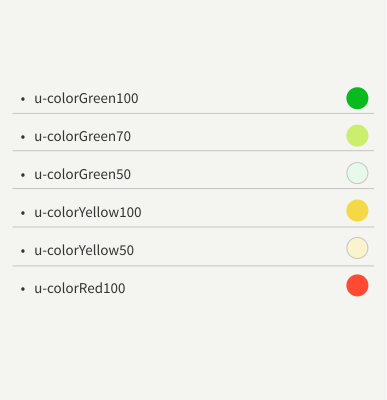
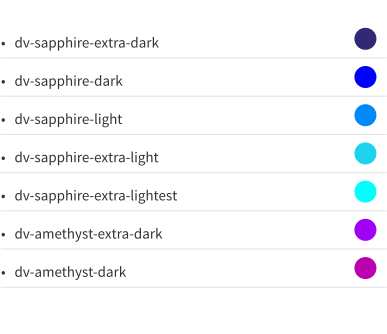
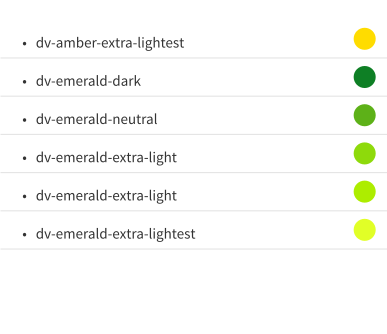
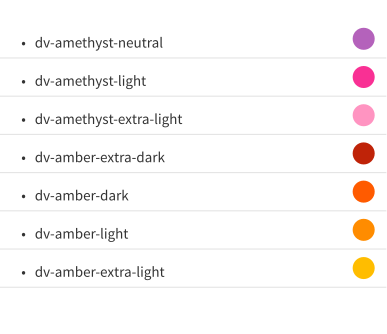
The Conversant UI color palette is applied across all components and custom elements to ensure visual consistency and a cohesive experience. Color is intentionally used to create a positive, engaging environment while reinforcing brand recognition through consistent, memorable use of brand colors.
Utility classes are used to accommodate styling for specific cases.
The goal of utility classes is to control holistic changes for the styling of an application.
The following utility classes can be used to style foreground and background colors that are in the Conversant UI palette.
Spacing
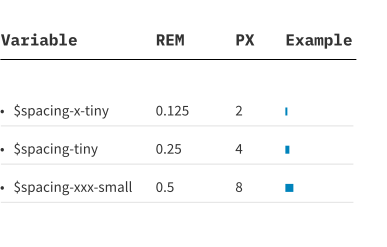
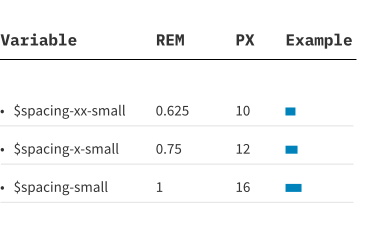
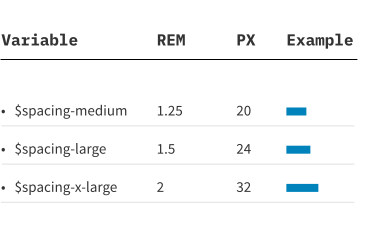
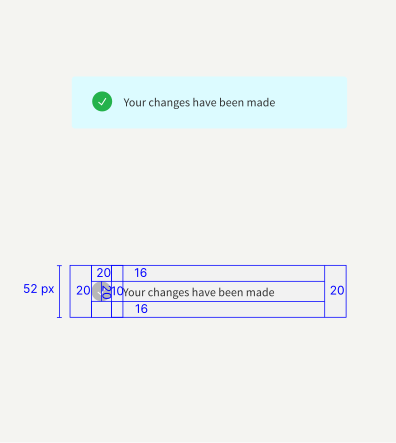
Every part of the UI is intentional, including negative space, which establishes hierarchy and relationships. A pixel-based grid system ensures precise alignment, adapts across screen sizes, and improves efficiency by providing a consistent, scalable framework for UI design.
These global layout rules are useful for creating consistent layouts across pages and help enforce the integrity of a design system.
These classes define spaces between components and page structure. Sizes are consistent with the overall spacing used for CUI components which gives pages a cohesive look and feel from top to bottom.
CUI has standardized spacing between components using multiples of 8px. If design specs aren't showing exact increments of 8px, it chooses the nearest multiple.
Typography
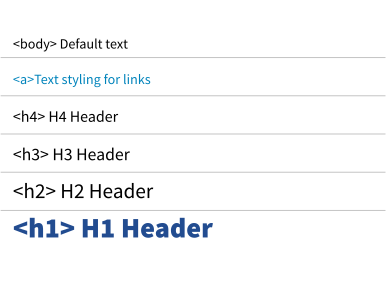
Source Sans Pro is the standard typeface for the Conversant UI, chosen for its clarity across mobile and desktop. Its balance of casual and formal tone complements the chosen corporate family Gibson, ensuring readability, hierarchy, consistency, and a cohesive identity across all touchpoints.
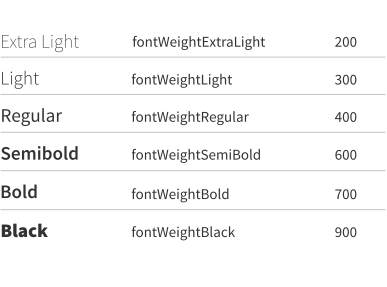
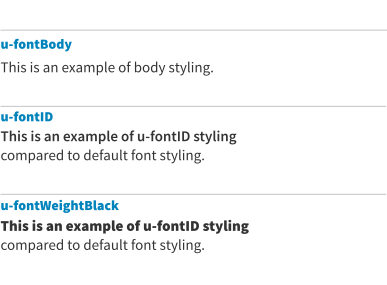
Conversant UI uses different fonts to modify the weight as opposed to using the font weight CSS property. This is because browsers render the font family property more consistently than they render font weights.
Utility classes are used to accommodate styling for specific cases. The goal of utility classes is to control holistic changes for the styling of an application.
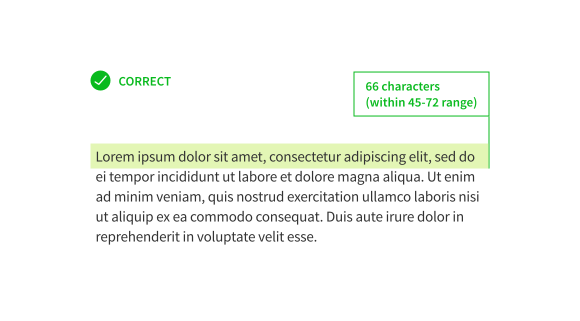
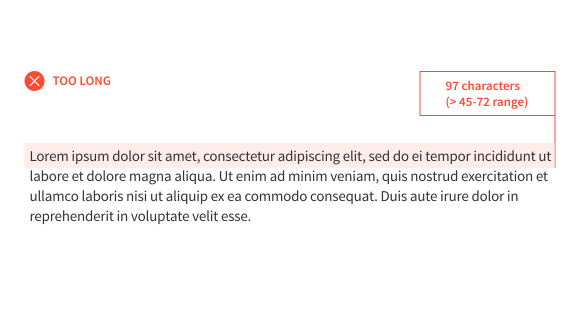
The Conversant UI system calls for a range of 45–75 characters per line for sentence text.
If you set lines of text too long, the reader will have difficulty in following from one line to the next; they may mistakenly skip lines or reread the same line. Set the line too short and the reader’s eyes will have to change direction too frequently, resulting in tired eyes.
Iconography
CUI icons minimize extraneous detail and are used only when they clearly add meaning, prioritizing visibility, readability, and consistency. Icons are applied selectively, validated through testing, and designed to communicate complex ideas intuitively while establishing a universal, emotionally resonant visual language.
Patterns
Data visualization
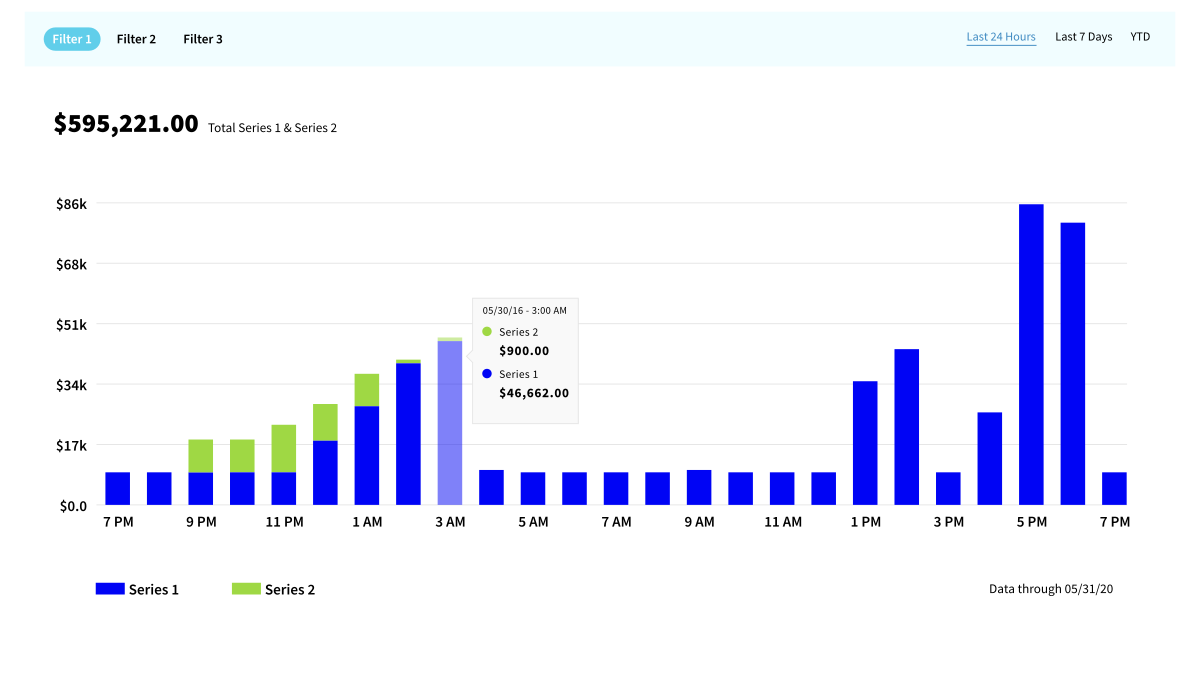
Charts provide interactive visual representations of data to support insight and decision-making. CUI offers line, bar, stacked bar, area, and sparkline charts, guided by principles of clarity, structure, fluidity, efficiency, and lightness. Line charts compare multiple trends, bar charts show parts of a whole, area charts emphasize single datasets, dual axes handle differing scales, and sparklines reveal trends in limited space.
Categorical
Categorical color scales are used when labeling discrete data series or when distinguishing differences in kinds / classes of data points.
Color groupings are provided based on the number of series in your chart. You can choose any color in the appropriate group to start the first series.
Head of Enterprise Design + User Experience
The Kraft Heinz Company
I've had the great opportunity to work with Rodrigo in a number of different contexts. The breadth of his work and visual craftsmanship is unmatched, he's a trusted partner who delivers excellence at every turn.