conversant
Conversant helps marketers build lasting consumer relationships by combining cutting-edge technology, bold creative, and deep data to deliver measurable results that speak for themselves.

Specifications
Specifications
conversant
I led the web refresh for conversantmedia.com and epsilon.com, establishing each site as the primary touchpoint for prospects and customers in the ad tech space. The work demanded a clear visual separation while creating room for Marketing to grow.
The illustration system was the connective tissue: a scalable visual language that gave both sites depth, brand coherence, and a story worth reading.


Grounded in the belief that every consumer is an individual worth knowing, Conversant keeps it smart, clear, and transparent — maintaining real ongoing conversations between brands and people, with no jargon, no ego, and no smoke and mirrors.
Powered by anonymized, person-level data, Conversant builds profiles for real individuals — connecting them with personalized digital media across every device, at precisely the moment it matters most.

Conversant operates on a simple compact, say what you'll do, then do it better than anyone else. By tying success directly to client outcomes and never stopping the pursuit of what's next, trust isn't claimed. It's built.
VISUAL LANGUAGE
Every visual motif in the Conversant system carries semantic weight. Circles represent people. Dots represent data reach. Diagonals represent movement and delivery. Rings represent recognition, the moment a signal becomes a person.
Segmented circular form derived from the Conversant "C" mark. Represents the moment a data signal resolves to a verified individual. Segment weight indicates confidence, density, or data recency. Use for consumer profile contexts.
Derived from the large hexagonal pattern in the source visual assets. Represents scale — 160M+ reachable consumers, 178 daily opportunities per person. Used as section backgrounds, never as a decorative fill.
Our Diagonal lines with node points represent decisioning and delivery pathways. Appear in backgrounds at very low opacity, or as foreground elements in data visualization to show cross-device pathways or attribution chains.


Photo treatment
Subject photos convert to black & white with a subtle blue gradient overlay. Maintains humanity while signaling the data layer beneath. Used in consumer profile contexts and internal communications.
Subjects are cut out and composited against the brand dot-field or gradient backgrounds. The person emerges from data — never subsumed by it. Silhouettes may be replaced by dot-field forms for abstract representations.
The recognition ring wraps portrait subjects — the visual signature of a resolved individual. Ring segments may be filled proportionally to represent data density, engagement score, or match confidence. Direct camera gaze is permitted in this treatment only.
In use




Color system
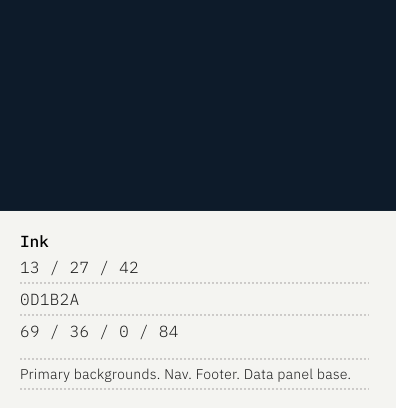
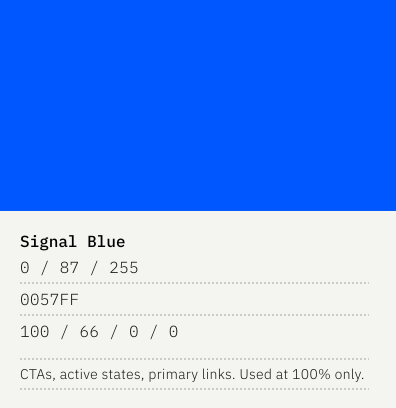
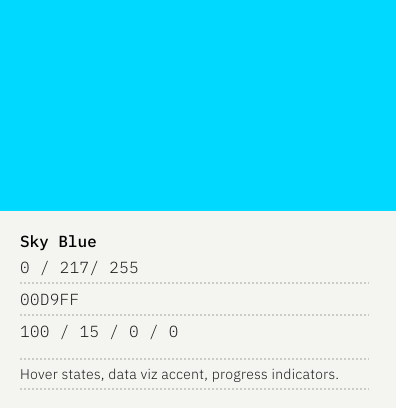
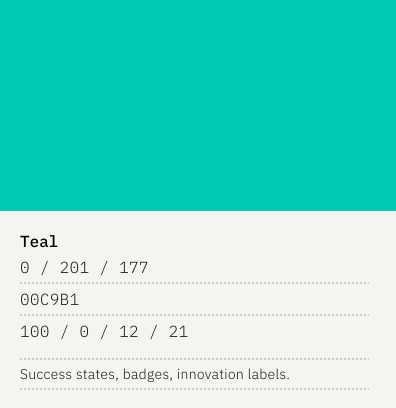
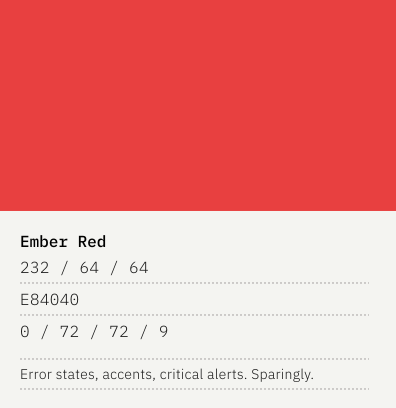
A palette built on clarity and motion, deep blues that recede like signal traveling through fiber, offset by the open optimism of sky and the sharp resolution of teal. Ember cuts through as a controlled flash of heat, never alarm.

Impact
know your customer
From lookalike modeling to cross-channel measurement, Mesobase connects the full marketing loop at the individual level.
Construct high-value audience segments with a complete view of reach, frequency, and overlap, layering behavioral, transactional, and third-party signals across every media partner.
Connect Mesobase audiences to any campaign, Conversant digital, Epsilon email, offline, or third-party, delivering relevant messages across every first-party channel and hundreds of marketing partners.
Break down best-customer composition to build lookalike models, score individual profiles, and power custom decision engines for specific product or business outcomes.
In use


Design direction

The color system is built on the visual DNA of the existing Mesobase motion design: deep navy fields, teal-to-cyan particle clusters, bright point-source glows. It's the color of precision instruments and data in motion.
Motion in Mesobase is organic, not mechanical. The particle animations are slow, continuous, and purposeful. They suggest living data, not UI performance.

Mesobase's visual language starts from the motion graphics: particles orbiting a central mass, rings of dots expanding outward, data threading into constellations. These are the images of invisible systems made visible.
Principles at play: Color does the layout. Signal Teal and Signal Sky split the page, no borders, no cards, no chrome. Typography at extreme scale replaces imagery wherever possible. The particle sphere is the only illustration permitted because it visualizes the mechanism, not the mood. One CTA per section, tight copy, nothing decorative.

Creative tools